Isometric Chair 3D Render Pack 256
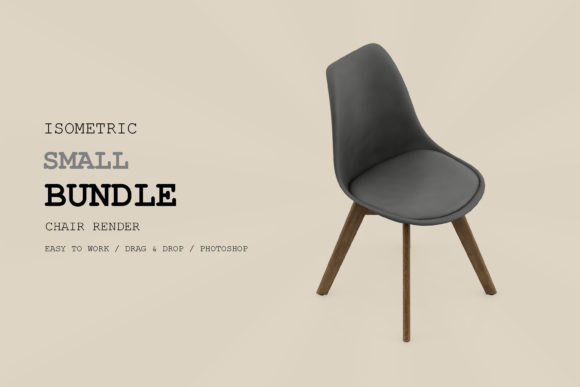
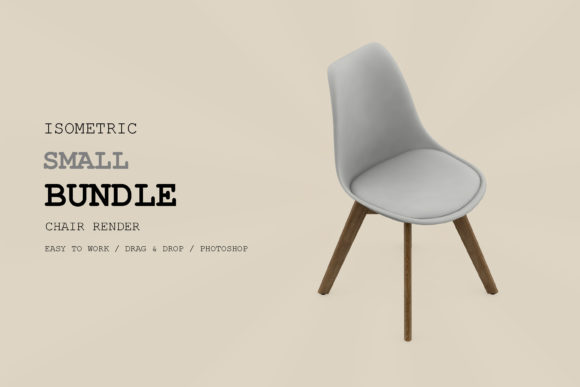
If you have ever tried to create a clean, modern visual for a presentation or a website, you know the struggle of finding graphics that don’t look like generic clip art. You want something with depth and professionalism, but creating those images from scratch requires expensive software skills and hours of rendering time. This is exactly where a specialized asset library becomes invaluable. The Isometric Chair 3D Render Pack 256 is designed to solve this specific problem by providing high-quality, ready-to-use graphical elements that fit seamlessly into various digital and print workflows.
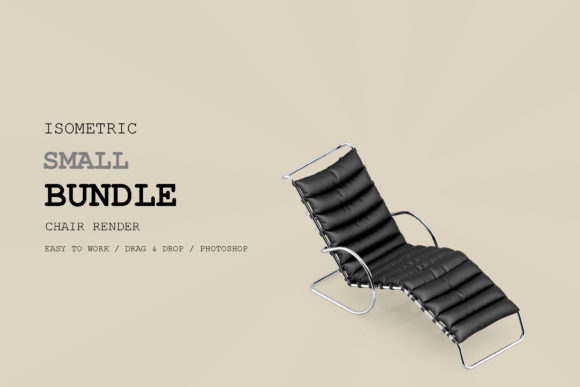
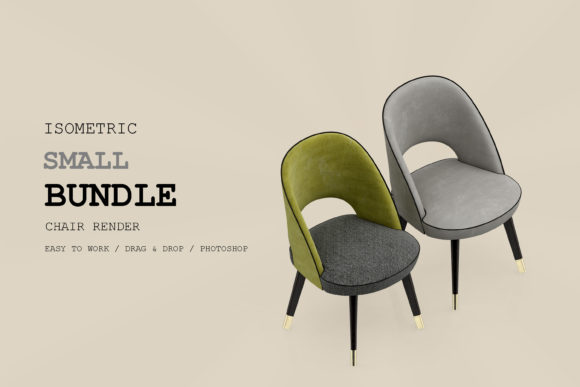
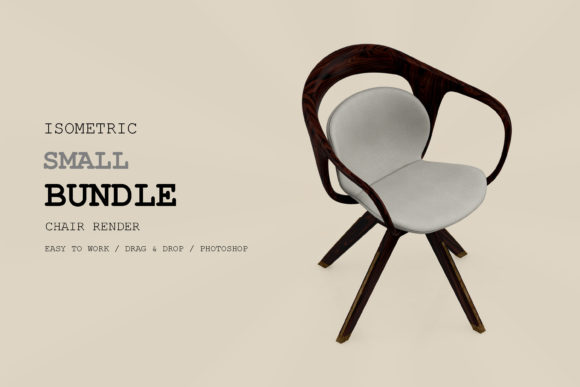
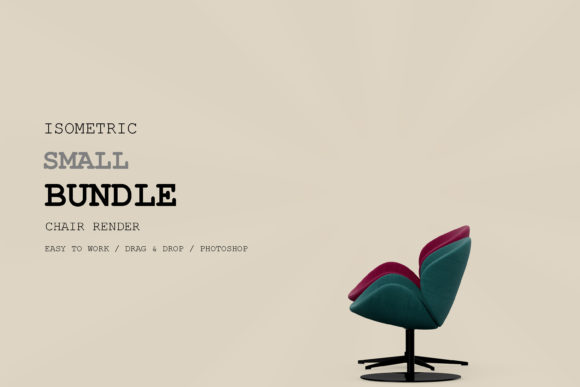
This pack is not just a collection of random chair images; it is a structured set of assets built for versatility. Whether you are an interior designer mocking up a room layout, a marketer building an infographic about home office ergonomics, or a student working on a thesis about furniture design, having access to consistent, high-resolution 3D renders saves significant effort. The key here is consistency. When you use a single pack, every chair shares the same lighting style, perspective angle, and texture quality, which creates a cohesive look that manual collage work often fails to achieve.
Why High Resolution and Organized Layers Matter
One of the most critical features of this pack is its technical specification: DPI 300. In the world of digital design, resolution is everything. A low-resolution image might look fine on a small mobile screen, but it will pixelate and blur instantly when printed on a poster, a brochure, or even a large banner. By ensuring the assets are at 300 DPI, the pack guarantees that your final output remains crisp and professional, regardless of the scale. This is particularly important for freelancers and agencies who need to deliver files that meet strict client printing standards without worrying about re-rendering or sourcing better quality images later.
Equally important is the inclusion of organized layers and a separated background. Many users underestimate how much time they waste trying to cut out objects from busy backgrounds in Photoshop or Illustrator. With these assets, the chairs are already isolated. Furthermore, the separated shadow feature allows you to control the depth of the object. You can adjust the opacity, color, or position of the shadow to match the lighting of your specific project. If you are placing a chair on a dark wooden floor, you can tweak the shadow to reflect that environment. This level of control transforms a static image into a dynamic element that feels integrated into your design rather than pasted on top.
Real-World Applications Across Industries
The utility of the Isometric Chair 3D Render Pack 256 extends far beyond simple decoration. Let’s look at how different professionals actually use these assets in their daily routines.
Architecture and Interior Design
For architects and interior designers, visualization is the product. Clients rarely understand blueprints; they need to see what a space will look like. Using isometric views allows designers to present multiple rooms or furniture arrangements in a single, easy-to-read diagram. You can mix and match chairs from this pack to show different seating options for a lobby or a conference room. Because the perspective is fixed, you can arrange multiple chairs around a table to demonstrate capacity and flow without worrying about vanishing points shifting incorrectly. This helps in creating clear, compelling sales materials that help close deals faster.
Education and School Projects
Educators and students often need to explain concepts visually. A biology teacher explaining human posture might use an ergonomic chair render to highlight spinal alignment. A history teacher discussing the Industrial Revolution could use period-appropriate chair designs to illustrate changes in manufacturing. The organized layers make it easy for students to deconstruct the chair, labeling parts like the armrest, seat cushion, and base legs. It turns a complex object into an educational tool. For university projects, the high resolution ensures that posters and displayed diagrams look authoritative and polished, which can positively impact grading.
Digital Marketing and Social Media
In the fast-paced world of social media, attention spans are short. Infographics that break down data into digestible visuals perform significantly better than text-heavy posts. Imagine a blog post titled “Top 5 Ergonomic Chairs for Remote Workers.” Instead of taking photos of five different chairs (which requires lighting setups, cleaning, and editing), you can use the renders from this pack to create uniform illustrations. You can add icons, text overlays, and arrows directly onto the organized layers. This approach is not only faster but also ensures brand consistency across Instagram, LinkedIn, and Pinterest. Advertisers benefit immensely here, as they can A/B test different chair styles in ad creatives without shooting new photos each time.
Web Design and UI/UX
Website designers often need placeholder images or illustrative elements that load quickly and look sharp on retina displays. Vector-based or high-res raster assets like those in this pack are perfect for hero sections, feature lists, or icon sets. A SaaS company selling office management software might use an isometric chair graphic to represent the “Workspace” module. The separated shadow allows the graphic to pop off the page, adding a subtle 3D effect that enhances user engagement without slowing down the site with heavy video content.
Considerations Before You Start Using the Pack
While the Isometric Chair 3D Render Pack 256 is a powerful tool, success depends on how you apply it. First, consider your file format compatibility. Ensure your design software supports the layer structures provided. If you are using simpler tools, you may need to flatten the images, losing the ability to edit shadows or colors independently. Plan your workflow accordingly—open the files in robust software like Adobe Photoshop or Illustrator if you intend to manipulate the layers.
Secondly, think about color harmony. Since the chairs come with pre-set textures and colors, you must ensure they complement your overall palette. If your website uses a pastel theme, a stark black leather chair render might clash. However, many packs offer variations, or you can use adjustment layers in your software to tint the chairs to match your brand identity. Always preview the chair in context before finalizing your design.
Finally, respect licensing agreements. Even though these are digital assets, they are intellectual property. Check whether the license allows for commercial use, especially if you are selling products or services. Most high-quality packs allow for end-product sales, but some restrict redistribution of the raw files themselves. Understanding these boundaries protects you from legal issues and respects the creators’ work.
Conclusion
The Isometric Chair 3D Render Pack 256 is more than just a bundle of images; it is a productivity multiplier. By offering high-resolution, layered, and technically precise assets, it bridges the gap between complex 3D modeling and accessible graphic design. Whether you are crafting a school presentation, designing a marketing campaign, or laying out an architectural plan, these renders provide the visual clarity and professional polish needed to communicate your ideas effectively. In a market where visual quality dictates credibility, investing in such well-organized resources pays dividends in both time saved and the quality of the final output.